Tag Portable Password Protector
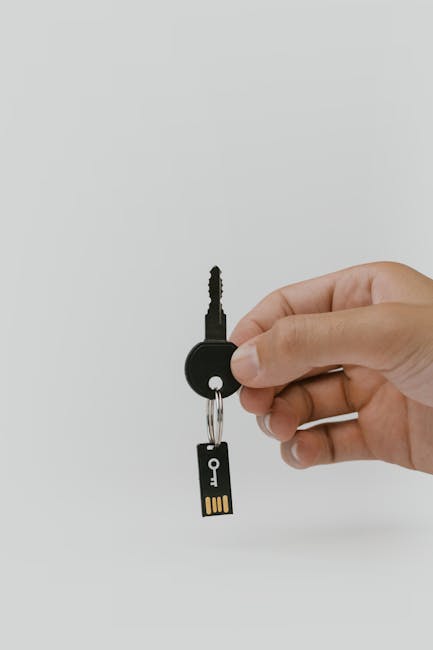
Tag Portable Password Protector: Securing Your Digital Life on the Go
The proliferation of digital assets, from sensitive personal documents to confidential business information, necessitates robust security measures. In an era where data breaches and identity theft are increasingly common, safeguarding your credentials and files is paramount. Traditional password managers, while effective, often require installation and synchronization across multiple devices, which can be cumbersome and introduce security vulnerabilities if the primary device is compromised. This is where a portable password protector, specifically one with a "tag" functionality for enhanced organization, emerges as a superior solution for individuals and professionals who demand flexibility and uncompromising security for their data on the move. This article will delve into the multifaceted benefits, operational mechanics, and optimal use cases of tag portable password protectors, providing a comprehensive guide to leveraging this innovative security tool.
Understanding the Core Concept of a Portable Password Protector
At its heart, a portable password protector is a self-contained application designed to store, manage, and generate strong, unique passwords for all your online accounts and sensitive data. Unlike cloud-based password managers that store your encrypted vault on remote servers, a portable password protector keeps your entire password database locally on a removable storage device, such as a USB flash drive or an external SSD. This localized approach significantly reduces the attack surface, as your data is not constantly being transmitted or stored on third-party servers, thereby mitigating the risks associated with cloud breaches. The "portable" aspect means you can carry your entire password vault with you, accessing it from any compatible computer without the need for installation or internet connectivity for basic operations. This is invaluable for frequent travelers, remote workers, and anyone who operates in diverse computing environments.
The "Tag" Functionality: Revolutionizing Organization and Access
The addition of a "tag" system elevates a portable password protector from a mere digital vault to a highly organized and intelligent security hub. Tags are essentially customizable labels or keywords that you can assign to individual password entries or entire categories of data. This feature moves beyond the limitations of rigid folder structures, allowing for a dynamic and flexible approach to data management. For instance, you could tag a password entry with "Work," "Personal," "Banking," "Social Media," or even more granular tags like "Client X Project," "Travel Booking 2024," or "Software License Y."
The benefits of this tagging system are manifold:
- Rapid Retrieval: Instead of navigating through multiple folders, you can instantly filter and locate specific passwords by simply searching for a tag. This drastically reduces the time spent searching for the correct credential, especially when dealing with hundreds or even thousands of entries.
- Contextual Grouping: Tags enable you to group related information based on context, rather than just by application or service. This is particularly useful for project-based work, event planning, or managing different aspects of your personal finances.
- Enhanced Security through Obscurity (Selective Disclosure): By strategically tagging entries, you can effectively "hide" certain categories of passwords from casual observation. If you’re using the protector on a shared or public computer, you can quickly filter to only display tags relevant to your immediate task, minimizing the risk of accidental exposure of sensitive information.
- Customizable Workflows: Tags allow you to build personalized workflows for different scenarios. For example, you might have a "Travel" tag that encompasses all your airline, hotel, and car rental passwords, allowing you to access them all with a single click when planning a trip.
- Simplified Auditing and Review: Regularly reviewing your digital security can be a daunting task. Tags can facilitate this by allowing you to quickly pull up all entries tagged "High-Risk" or "Needs Update," making it easier to identify and address potential vulnerabilities.
Operational Mechanics: Encryption, Generation, and Auto-Fill
A robust portable password protector relies on several key operational components to ensure its efficacy:
- Strong Encryption: The cornerstone of any password protector is its encryption algorithm. Reputable portable password protectors employ industry-standard, strong encryption algorithms like AES-256, which is widely considered uncrackable by current computational power. Your entire password database is encrypted before being stored on the portable drive, meaning that even if the drive is lost or stolen, the data remains inaccessible without the master password.
- Master Password: Access to your encrypted vault is controlled by a single, strong master password. This is the only password you need to remember. It’s crucial to choose a master password that is both complex and memorable, as its compromise would grant an attacker access to all your stored credentials.
- Password Generation: A good portable password protector includes a powerful password generator. This tool allows you to create strong, unique, and random passwords of varying lengths and complexity for each of your online accounts. This eliminates the temptation to reuse weak or easily guessable passwords, which is a common security pitfall. You can typically customize the generator to include uppercase and lowercase letters, numbers, and special characters, and to exclude easily confusable characters.
- Auto-Fill and Auto-Login: While the primary benefit of portability is offline access, when used on a compatible system, many portable password protectors offer browser extensions or standalone auto-fill features. These can automatically populate login fields on websites and applications, saving time and further reducing the risk of password memorization errors or shoulder surfing. However, it’s crucial to ensure that these features are securely implemented and that the portable drive remains physically secured when not in use to prevent unauthorized auto-logins.
- Secure Data Storage: The encrypted data is stored directly on the portable storage device. This could be a USB flash drive, a portable SSD, or even an encrypted partition on a larger external hard drive. The choice of storage medium can influence speed and durability, with SSDs generally offering superior performance and longevity.
Security Considerations and Best Practices
While portable password protectors offer enhanced security and flexibility, certain best practices are essential to maximize their effectiveness:
- Master Password Strength: As mentioned, the master password is your ultimate defense. Avoid using personal information, common words, or sequential patterns. Consider using a passphrase, which is a sequence of unrelated words that is often easier to remember but significantly harder to guess.
- Physical Security of the Portable Drive: The portable drive itself is the physical manifestation of your digital vault. Treat it with the utmost care. Never leave it unattended in public places, and consider using a physical lock or tethering it to your person when in transit. If the drive is lost or stolen, report its loss immediately and have a plan for revoking access if possible (though with purely local storage, this is less feasible than with cloud solutions; hence the emphasis on physical security).
- Regular Backups: While the portability is a key feature, it’s also a potential point of failure. If your portable drive fails or is damaged, you could lose all your data. Implement a regular backup strategy for your encrypted password vault. Store backups on a separate, secure medium, ideally in a different physical location.
- Avoid Unattended Use: Never leave your portable password protector plugged into a computer and unlocked while you are away from the device. This is a critical security lapse. Always disconnect the drive when not actively using it.
- Keep Software Updated: If the portable password protector software itself has update mechanisms, ensure you apply them promptly. Updates often include security patches and performance enhancements.
- Trusted Software Source: Only download and install portable password protector software from reputable sources. Beware of free or pirated versions, as these could be bundled with malware.
- Compartmentalization with Tags: Leverage the tagging system to compartmentalize your data. For highly sensitive information, consider using more specific and restrictive tags that are only accessed when absolutely necessary.
Use Cases for Tag Portable Password Protectors
The versatility of a tag portable password protector makes it suitable for a wide range of users and scenarios:
- Business Professionals: For executives, consultants, and sales representatives who frequently travel and access client data, work from various locations, or use public computers, a portable password protector with tagging is ideal for securely managing work-related credentials, VPN access, and sensitive project documents. Tags like "Client Confidential," "Executive Meeting," or "Quarterly Report" can streamline access.
- Frequent Travelers: Travelers juggle numerous online accounts for flights, hotels, car rentals, travel loyalty programs, and foreign banking. A portable password protector allows them to securely store and quickly access all these credentials from any internet-connected device, without relying on potentially insecure hotel Wi-Fi to log into their primary password manager. Tags like "Vacation 2024," "Business Trip Europe," or "Loyalty Programs" are invaluable.
- Digital Nomads and Remote Workers: Individuals who work remotely and move between different co-working spaces, cafes, or client sites benefit from the offline accessibility and inherent security of a portable solution. They can secure access to work systems, cloud services, and personal accounts without leaving a digital footprint on every computer they use.
- Students and Academics: Students managing multiple online learning platforms, research databases, library accounts, and personal online services can use a portable password protector to consolidate and secure their digital identities. Tags for "Coursework," "Research Papers," or "University Accounts" simplify management.
- Security-Conscious Individuals: For anyone who prioritizes maximum control over their digital security and is wary of cloud-based solutions, a portable password protector provides an unparalleled level of autonomy and reduces reliance on third-party infrastructure.
- Emergency Preparedness: In situations where internet access is disrupted or unavailable, having all your critical login information readily accessible on a portable drive can be essential for managing finances, communicating with authorities, or accessing vital services.
Choosing the Right Tag Portable Password Protector
When selecting a tag portable password protector, consider the following factors:
- Reputation and Reviews: Research the software’s reputation within the cybersecurity community. Look for independent reviews and security audits.
- Features: Does it offer the tagging system you need? Does it have robust password generation capabilities? Does it support auto-fill if that’s a desired feature?
- Platform Compatibility: Ensure the software is compatible with the operating systems you commonly use (Windows, macOS, Linux).
- Ease of Use: The interface should be intuitive, especially when managing numerous entries and tags.
- Support and Updates: Check if the developer provides ongoing support and regular software updates.
- Cost: While some portable password protectors are free, paid versions often offer more advanced features and better support. Weigh the cost against the security benefits.
Conclusion
The tag portable password protector represents a significant advancement in personal digital security, offering a powerful blend of portability, robust encryption, and intelligent organization. By keeping your sensitive data localized on a removable drive and leveraging a flexible tagging system, you gain unprecedented control over your digital identity. This solution is particularly relevant for individuals and professionals who operate in dynamic computing environments and demand the highest levels of security without compromising on accessibility. Implementing strong master passwords, prioritizing physical security, and adhering to best practices will ensure that your tag portable password protector becomes an indispensable tool in your digital security arsenal, safeguarding your online life wherever you go.