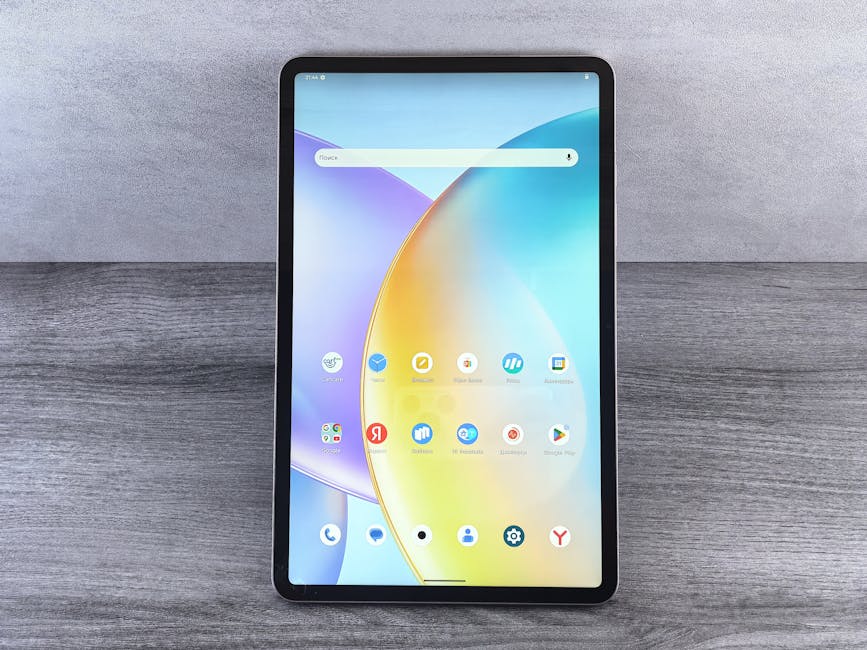
Google Voice Talks Its Way Into Blackberry Android Phones

Google Voice on BlackBerry Android Phones: A Comprehensive Guide to Integration and Functionality
The integration of Google Voice into BlackBerry Android phones, specifically models running the Android operating system, marks a significant evolution for users seeking unified communication solutions. This synergy allows BlackBerry users, already accustomed to robust business-grade communication features, to seamlessly leverage the power of Google Voice for personal and professional calls, texts, and voicemail management. This article will delve into the practical aspects of this integration, exploring setup, core functionalities, advanced features, and the benefits it offers to the BlackBerry Android user base. The process involves utilizing the official Google Voice app, readily available on the Google Play Store, and understanding how it interacts with the underlying Android framework on BlackBerry devices.
Setting up Google Voice on a BlackBerry Android phone is a straightforward process. The prerequisite is a Google account and an existing Google Voice number, or the ability to claim a new one. Users simply navigate to the Google Play Store, search for "Google Voice," and install the application. Upon launching the app, users are prompted to sign in with their Google account. If a Google Voice number is already associated with that account, the app will automatically connect to it. New users will be guided through the process of selecting a new Google Voice number, often based on their geographic location. This initial setup phase also includes granting necessary permissions, such as access to contacts, microphone, and phone calls, which are essential for the app to function as intended. The app’s interface is designed to be intuitive, mirroring the experience on other Android devices, ensuring a familiar user experience for those transitioning from other Android platforms.
Once installed and configured, Google Voice offers a suite of core functionalities that enhance the communication capabilities of any BlackBerry Android phone. The most prominent feature is the ability to make and receive calls directly through the Google Voice number. This means users can use their Google Voice number as their primary contact number, separating their personal and work calls without needing multiple physical SIM cards or devices. Incoming calls to the Google Voice number will ring on the BlackBerry Android phone, and users can answer them just like any other call. Outgoing calls can be initiated from the Google Voice app itself, or by using the dialer integrated within the app. A key advantage is the ability to choose which number to use for outgoing calls – either the carrier number or the Google Voice number – directly from the dialer interface, providing granular control over caller ID.
Text messaging is another integral part of the Google Voice experience on BlackBerry Android phones. Users can send and receive SMS and MMS messages through their Google Voice number within the dedicated Google Voice app. This consolidates all messaging conversations in one place, preventing the scattering of messages across different platforms and SIM cards. The interface for messaging is clean and familiar, supporting group messaging and the sending of multimedia attachments. Notifications for new messages are handled by the Android operating system, ensuring users are promptly alerted to incoming communication. This unified messaging system significantly streamlines the user experience, especially for professionals who rely on efficient communication.
Voicemail management is perhaps one of the most powerful features of Google Voice, and its integration with BlackBerry Android phones elevates this aspect of communication. Google Voice provides a centralized voicemail inbox accessible through the app. Voicemails are automatically transcribed into text, allowing users to read their messages rather than having to listen to them, a massive time-saver, especially when on the go or in noisy environments. These transcriptions are searchable, making it easy to locate specific messages. Users can also listen to their voicemails, forward them as text messages or emails, or delete them directly from the app. The ability to manage voicemails efficiently, with the added benefit of transcription, significantly improves productivity and reduces the time spent on administrative communication tasks.
Beyond the core functionalities, Google Voice on BlackBerry Android phones offers several advanced features that cater to more specific user needs. Call forwarding is a cornerstone of Google Voice’s flexibility. Users can configure their Google Voice number to forward calls to multiple other numbers, including their carrier number, a landline, or even other Google Voice numbers. This ensures that no call is missed, regardless of the user’s current location or device. The forwarding rules can be customized based on time of day, day of the week, or even the caller’s ID, allowing for sophisticated call management. This level of control is particularly valuable for business users who need to maintain constant availability.
Spam blocking and filtering are crucial for maintaining a clean communication channel. Google Voice automatically identifies and filters suspected spam calls and messages, directing them to a separate spam folder. Users can also manually mark calls or messages as spam, further training the system to recognize unwanted communication. This proactive approach to spam management reduces distractions and helps users focus on legitimate conversations. The intelligent filtering capabilities contribute to a more organized and efficient communication workflow.
Google Voice also offers the ability to record calls. This feature can be activated on a per-call basis and is useful for documenting important conversations or for later reference. The recorded calls are saved within the Google Voice app and can be accessed, played back, or downloaded for safekeeping. This functionality is particularly beneficial for journalists, sales professionals, and anyone who needs to keep a record of their interactions. It’s important to note that local regulations regarding call recording vary, and users should ensure they comply with all applicable laws.
Users can also personalize their Google Voice experience on their BlackBerry Android phone. This includes setting custom greetings for their voicemail, which can be personalized for different contacts or situations. They can also manage their contacts within the Google Voice app, associating specific contacts with unique forwarding rules or greetings. This level of customization allows for a more tailored and professional communication experience, aligning with the sophisticated user base of BlackBerry devices.
The benefits of integrating Google Voice with BlackBerry Android phones are multifaceted. For business users, it offers a clear separation between personal and professional communication, enhancing privacy and organization. The ability to manage calls and texts from a single platform, with advanced features like call forwarding and voicemail transcription, significantly boosts productivity. It also provides a professional caller ID for business interactions without the need for a separate business line. The cost-effectiveness of Google Voice, which offers free calls and texts within the US and Canada, is another significant advantage for users looking to manage expenses.
For personal users, Google Voice provides a unified communication hub, simplifying the management of multiple contact numbers and messages. It offers enhanced privacy by allowing users to keep their primary carrier number private. The spam filtering and transcription features contribute to a more streamlined and less intrusive personal communication experience. The ability to access communication from any device with an internet connection, including their BlackBerry Android phone, offers unparalleled flexibility.
The technical underpinnings of this integration rely on the Android operating system’s robust framework for handling telephony and messaging. Google Voice, as an Android application, integrates with the system’s APIs to access call logs, contacts, and the phone’s dialer. The BlackBerry Android phones, by running this standard Android OS, are fully compatible with Google Voice, leveraging the same core functionalities as other Android devices. The app’s design ensures minimal impact on device performance, operating efficiently in the background.
Security is a paramount concern for BlackBerry users, and Google Voice adheres to Google’s stringent security protocols. User data, including call logs, messages, and voicemails, are stored securely within Google’s cloud infrastructure. Two-factor authentication for Google accounts adds an extra layer of security, protecting user accounts from unauthorized access. This ensures that sensitive communication data remains protected.
In conclusion, the integration of Google Voice into BlackBerry Android phones represents a powerful convergence of two established communication ecosystems. It empowers BlackBerry users with a comprehensive, flexible, and feature-rich communication solution that enhances both personal and professional interactions. From basic calling and texting to advanced call management and voicemail transcription, Google Voice on a BlackBerry Android device offers a unified, efficient, and secure way to stay connected, solidifying its position as an indispensable tool for modern communication. The seamless operation, coupled with the existing strengths of BlackBerry hardware and the Android platform, makes this integration a compelling proposition for any user seeking to optimize their mobile communication strategy.