Galaxy Vs Ipad Clash Of The Tablet Titans
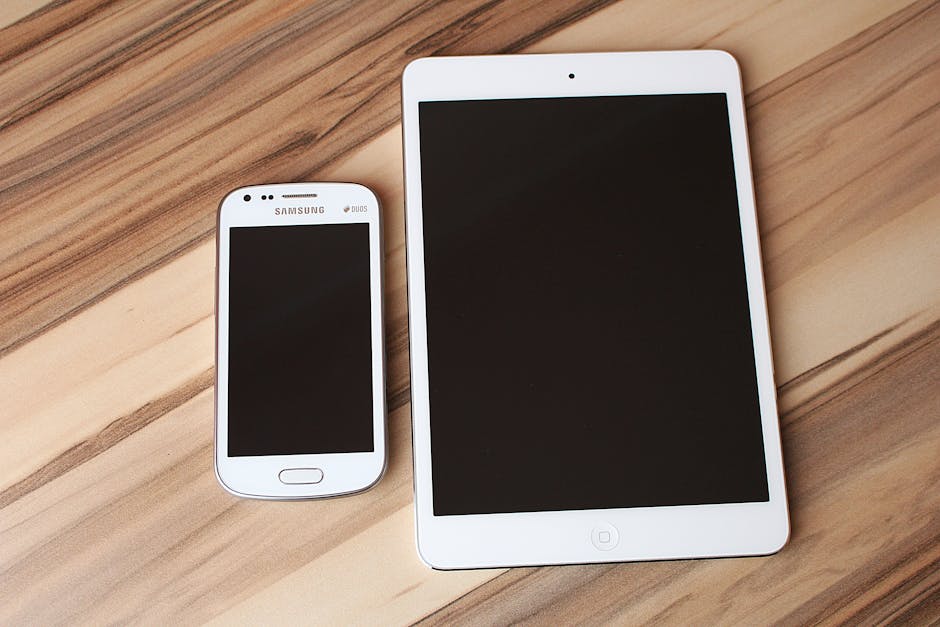
Galaxy Tab S9 Ultra vs. iPad Pro M2: The Ultimate Tablet Showdown
The tablet market, once dominated by a singular king, has evolved into a fierce battleground of innovation and user experience. At the forefront of this digital arms race stand two titans: Samsung’s Galaxy Tab S9 Ultra and Apple’s iPad Pro M2. This in-depth analysis will dissect their capabilities, performance, and feature sets, providing a comprehensive guide for consumers looking to invest in the ultimate portable computing device. We will move beyond surface-level specifications to explore the nuanced differences that truly define these premium tablets.
Design and Display: A Visual Feast or a Practical Canvas?
The physical design of a tablet significantly impacts its usability and overall appeal. The Galaxy Tab S9 Ultra opts for a more expansive, near-bezel-less design, featuring a colossal 14.6-inch Dynamic AMOLED 2X display. This sheer screen real estate is a significant differentiator, offering an unparalleled viewing experience for multimedia consumption, productivity tasks, and creative endeavors. The vibrant colors, deep blacks, and exceptional contrast ratio of the AMOLED panel make visuals pop, whether you’re binge-watching your favorite series or reviewing detailed design mockups. The tablet’s construction is premium, with an Armor Aluminum frame providing both durability and a sophisticated aesthetic. However, this large form factor, while impressive, can also be cumbersome for single-handed use or portability. The weight and dimensions necessitate a dedicated carrying solution for most users.
In contrast, the iPad Pro M2, available in 11-inch and 12.9-inch variants, presents a more refined and compact design. The 12.9-inch Liquid Retina XDR display utilizes Mini-LED technology, delivering exceptional brightness, HDR content, and precise local dimming for stunning contrast. While not an AMOLED, the color accuracy and overall visual quality are top-tier, making it an ideal platform for photo editing and professional color grading. The iPad Pro’s slimmer bezels and lighter build, especially the 11-inch model, contribute to a more manageable and portable user experience. The unibody aluminum construction is a hallmark of Apple’s design philosophy, exuding quality and durability. The choice between these two display approaches often boils down to personal preference: the immersive, almost cinematic experience of the Tab S9 Ultra versus the more balanced and practical approach of the iPad Pro.
Performance Powerhouses: Silicon vs. Snapdragon
At the heart of any high-performance device lies its processing power. The iPad Pro M2 boasts Apple’s custom-designed M2 chip, a silicon marvel that has redefined mobile computing. This chip offers desktop-class performance, with an 8-core CPU and a 10-core GPU that handle demanding tasks with effortless grace. From complex video editing and 3D rendering to intensive gaming, the M2 chip provides a level of raw power that is unmatched in the tablet space. The seamless integration of hardware and software in Apple’s ecosystem further optimizes this performance, ensuring smooth multitasking and rapid application loading.
Samsung’s Galaxy Tab S9 Ultra counters with the Qualcomm Snapdragon 8 Gen 2 for Galaxy. This customized version of Qualcomm’s flagship mobile processor is a formidable competitor, delivering exceptional speed and efficiency. While it might not directly match the peak synthetic benchmarks of the M2 chip in every scenario, it provides more than enough power for the vast majority of tablet users. The Snapdragon 8 Gen 2 for Galaxy excels in everyday tasks, gaming, and demanding professional applications. Furthermore, Samsung’s One UI overlay on Android offers robust multitasking capabilities, including split-screen and pop-up windows, which are particularly effective on the Tab S9 Ultra’s expansive display. The choice between these processors often comes down to the specific applications you intend to run and whether you prioritize the absolute bleeding edge of performance or a highly optimized and efficient mobile experience.
Software Ecosystems: Android’s Openness vs. iPadOS’s Polish
The operating system and its surrounding ecosystem are crucial to the tablet experience. Samsung’s Galaxy Tab S9 Ultra runs on Android, with Samsung’s One UI skin on top. Android’s strength lies in its openness and flexibility. Users have greater control over customization, file management, and app sideloading. The integration with Samsung’s DeX mode is a significant productivity booster, transforming the tablet into a desktop-like experience with a keyboard and mouse. This allows for seamless switching between app windows and enhanced multitasking, making it a compelling choice for users who value a more traditional computing workflow. The Google Play Store offers a vast selection of apps, and the ability to sync with Google services is a major advantage for many.
Apple’s iPad Pro M2 runs on iPadOS, a derivative of iOS that has evolved into a powerful and mature tablet operating system. iPadOS is known for its intuitive user interface, polished app experience, and robust multitasking features like Stage Manager. The App Store is curated and generally offers higher-quality, tablet-optimized applications. Apple’s tight integration between its hardware and software creates a remarkably smooth and responsive experience. For creative professionals, the synergy between the iPad Pro, Apple Pencil, and specialized apps like Procreate and Final Cut Pro for iPad is a significant draw. However, iPadOS can feel more restrictive for users who desire deep customization or extensive file management flexibility. The reliance on the App Store also means that certain niche applications might not be available or as feature-rich.
Stylus Support and Creative Capabilities: Precision Tools for Professionals
For artists, designers, and note-takers, stylus support is paramount. The Galaxy Tab S9 Ultra comes bundled with the S Pen, a highly capable stylus that offers excellent pressure sensitivity and tilt support. Its inclusion in the box is a significant value proposition. The S Pen magnetically attaches to the back of the tablet for charging and storage. Samsung’s suite of S Pen-optimized apps, such as Samsung Notes and Clip Studio Paint, provide a rich environment for drawing, sketching, and annotating. The large display of the Tab S9 Ultra further enhances the creative experience, offering ample canvas space.
The iPad Pro M2 is renowned for its Apple Pencil (2nd generation). This stylus is a marvel of engineering, offering unparalleled latency, pressure sensitivity, and tilt recognition. The magnetic charging and pairing are seamless. For digital artists, the combination of the iPad Pro’s display and the Apple Pencil is often considered the gold standard. The fluidity of drawing, the precision of line work, and the responsiveness are exceptional. Apps like Procreate, Affinity Designer, and Adobe Fresco are optimized to take full advantage of the Apple Pencil’s capabilities, making the iPad Pro a powerful tool for professional creative work. The key difference here is often the bundled nature of the S Pen versus the separately purchased Apple Pencil, with the Apple Pencil generally perceived as offering a slight edge in raw performance and feel for the most discerning artists.
Camera, Audio, and Connectivity: The Supporting Cast
While tablets are not primarily camera devices, their capabilities in this area are still relevant for casual photography, video calls, and document scanning. The Galaxy Tab S9 Ultra features a dual rear camera system (13MP wide and 8MP ultrawide) and a dual front camera system (12MP ultrawide and 12MP wide). These cameras are more than adequate for everyday use, with good image processing and the ability to capture decent photos and videos. The audio experience on the Tab S9 Ultra is bolstered by quad stereo speakers tuned by AKG, delivering rich and immersive sound.
The iPad Pro M2 offers a dual rear camera system (12MP wide and 10MP ultrawide) with a LiDAR scanner for improved AR experiences and low-light focusing. The front-facing camera is a 12MP ultrawide with Center Stage, which intelligently keeps you in the frame during video calls. The audio quality from the iPad Pro’s four-speaker system is also excellent, providing a balanced and clear sound profile. Both tablets support Wi-Fi 6E for faster wireless connectivity, and both offer optional 5G variants for cellular data. USB-C ports are standard on both devices, offering versatile connectivity for external drives, displays, and other accessories.
Price and Value: The Bottom Line for Consumers
The premium nature of both the Galaxy Tab S9 Ultra and the iPad Pro M2 comes with a premium price tag. The Galaxy Tab S9 Ultra, with its expansive display and included S Pen, often starts at a slightly higher price point than the base model iPad Pro. However, when comparing models with similar storage configurations and cellular capabilities, the pricing can become more competitive. It’s crucial to consider the total cost of ownership, including any necessary accessories like keyboards and styluses, especially when factoring in the Apple Pencil’s separate purchase.
The value proposition for each tablet depends heavily on the user’s specific needs and existing ecosystem. For those deeply embedded in the Apple ecosystem, the iPad Pro M2 offers seamless integration and a familiar user experience. For Android users or those who prioritize extreme screen real estate and the flexibility of Android, the Galaxy Tab S9 Ultra presents a compelling alternative. The inclusion of the S Pen with the Tab S9 Ultra adds significant value for creatives and note-takers right out of the box.
Conclusion: Choosing Your Digital Dominator
The decision between the Samsung Galaxy Tab S9 Ultra and the Apple iPad Pro M2 is not a simple one. Both are exceptional devices that push the boundaries of what a tablet can do. The Galaxy Tab S9 Ultra excels in sheer display size, immersive multimedia experiences, and the flexibility of Android and DeX mode, making it a powerhouse for multitasking and content consumption. The iPad Pro M2, with its industry-leading M2 chip, polished iPadOS, and unparalleled Apple Pencil integration, remains the benchmark for creative professionals and those who value a tightly integrated and highly optimized user experience. Ultimately, the "better" tablet is the one that best aligns with your individual workflows, creative pursuits, and ecosystem preferences. Thoroughly assessing your needs and considering the long-term value of each platform will lead to the most informed decision in this clash of tablet titans.