
Tag Web Development Technology
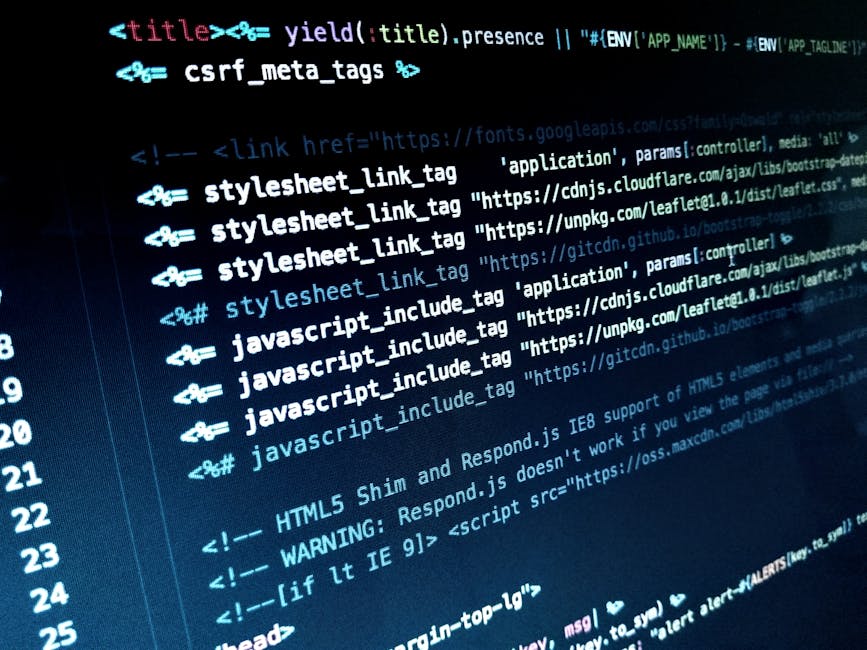
HTML Tags: The Foundational Building Blocks of Web Development
HTML, or HyperText Markup Language, is the undisputed cornerstone of web development. It’s not a programming language in the traditional sense, but rather a markup language that provides the structure and semantic meaning to web content. Every element you see on a webpage, from text and images to links and forms, is defined and organized using HTML tags. Understanding these tags is paramount for anyone aspiring to build websites, design user interfaces, or even just comprehend how the internet functions at its most basic level. SEO (Search Engine Optimization) heavily relies on well-structured HTML, as search engine crawlers interpret these tags to understand the content and context of a webpage, ultimately influencing its ranking in search results.
Core HTML Tags and Their SEO Significance
The fundamental purpose of HTML is to describe the content of a web page. This is achieved through a system of tags, which are enclosed in angle brackets (e.g., <p>, <h1>). Most tags come in pairs: an opening tag and a closing tag (e.g., <p>This is a paragraph.</p>). The content between these tags is what gets rendered on the browser. The semantic meaning embedded within these tags is a critical factor for SEO.
The <!DOCTYPE html> declaration is crucial. It tells the browser which version of HTML the document is written in, ensuring proper rendering and compatibility. The <html> tag acts as the root element of every HTML page, encompassing all other elements. Inside <html>, there are two primary sections: <head> and <body>.
The <head> section contains meta-information about the HTML document, which is not directly displayed on the page but is vital for browsers and search engines. Key tags within <head> for SEO include:
-
<title>: This tag defines the title of the HTML page, which appears in the browser’s title bar or tab. More importantly, it’s the clickable headline that appears in search engine results pages (SERPs). A well-crafted<title>tag, containing relevant keywords, is a significant SEO ranking factor and a primary driver of click-through rates (CTR). It should be concise, descriptive, and accurately reflect the page’s content. -
<meta charset="UTF-8">: This meta tag specifies the character encoding for the document. UTF-8 is the standard and recommended encoding, supporting a vast range of characters from different languages. Incorrect character encoding can lead to display issues and negatively impact user experience, indirectly affecting SEO. -
<meta name="description" content="...">: The meta description tag provides a brief summary of the web page’s content. While not a direct ranking factor, it’s a crucial element for SERP snippets. A compelling meta description can significantly improve CTR by enticing users to click on your link. It should be unique, relevant, and include target keywords. -
<link rel="canonical" href="...">: The canonical tag is used to specify the preferred version of a web page when multiple URLs might display the same content. This is essential for preventing duplicate content issues, which can dilute SEO efforts. By indicating the canonical URL, you consolidate link equity and ensure search engines index the correct version. -
<meta name="robots" content="...">: This tag controls how search engine crawlers interact with a page. Common values includeindex, follow(default, allows crawling and indexing),noindex, follow(prevents indexing but allows crawling for links), andindex, nofollow(allows indexing but prevents following links). Proper use of this tag is vital for managing your site’s crawlability and indexability.
The <body> section contains all the visible content of the HTML document. Within the <body>, the hierarchy and semantic use of tags are paramount for both user experience and SEO.
Heading Tags (<h1> to <h6>) for Content Hierarchy and Keyword Relevance
Heading tags are arguably the most critical for structuring content and signaling its importance to both users and search engines. They create a hierarchical outline of the page.
-
<h1>: This is the most important heading tag and should be used only once per page to represent the main topic or title of the content. It’s a strong indicator of the page’s primary subject matter for search engines. Incorporating primary keywords in the<h1>tag is a standard SEO practice. -
<h2>to<h6>: These tags represent subheadings, progressively decreasing in importance. They break down content into logical sections, making it easier for users to scan and digest information. Using relevant keywords in subheadings can further reinforce the page’s topical relevance for specific search queries. A well-structured hierarchy of headings improves readability and user engagement, indirectly benefiting SEO. Overuse of keyword stuffing within headings, however, can lead to penalties.
Paragraphs and Text Formatting Tags for Readability and Semantic Meaning
-
<p>: This tag defines a paragraph of text. It’s the most common tag for presenting textual content. Semantic HTML emphasizes using tags for their intended purpose. Therefore, the<p>tag should exclusively enclose textual paragraphs. -
<strong>and<b>: The<strong>tag semantically indicates that its enclosed text has strong importance, often displayed as bold by default. The<b>tag simply makes text bold without conveying semantic importance. For SEO, using<strong>to highlight key terms or phrases within a paragraph is beneficial as it signals their significance to search engines. -
<em>and<i>: Similar to bolding,<em>semantically emphasizes text, typically displayed as italicized.<i>simply italicizes text.<em>is preferred for conveying emphasis and can aid in SEO by highlighting crucial keywords. -
<ul>,<ol>, and<li>: These tags are used for creating unordered (bulleted) and ordered (numbered) lists, respectively. Lists significantly improve readability and help users quickly identify key information. Search engines also recognize lists as structured content, and relevant keywords within list items can contribute to topical authority. -
<blockquote>: This tag is used for quoting text from another source. It semantically distinguishes quoted content, which can be beneficial for establishing authority and providing context.
Link Tags (<a>) for Navigation and Link Equity
The <a> tag, or anchor tag, is fundamental for creating hyperlinks, enabling navigation between web pages and external resources.
-
<a>: The primary attribute of the<a>tag ishref, which specifies the destination URL. The text between the opening and closing<a>tags is the clickable hyperlink text. -
<a>(SEO Significance):- Internal Linking: Linking to other pages within your own website helps users discover more content and distributes "link equity" (SEO authority) across your site. This improves crawlability and helps search engines understand the relationship between different pages.
- External Linking: Linking to reputable external resources can demonstrate authority and provide valuable context to users.
- Anchor Text: The text used for the hyperlink (the text between the
<a>tags) is called anchor text. Descriptive and keyword-rich anchor text helps search engines understand what the linked page is about. Over-optimization of anchor text can be detrimental, so a natural and varied approach is best. rel="nofollow": This attribute tells search engines not to pass link equity through that link. It’s often used for sponsored links or user-generated content to prevent SEO manipulation.
Image Tags (<img>) for Visual Content and Accessibility
The <img> tag is used to embed images into an HTML document.
<img>: This is a self-closing tag with essential attributes:src: Specifies the URL of the image file.alt: The "alternative text" attribute is crucial for accessibility and SEO. It provides a textual description of the image, which is displayed if the image cannot be loaded and is read aloud by screen readers for visually impaired users. Search engines also usealttext to understand the content of images, making it a valuable place to include relevant keywords, though it should accurately describe the image.
Semantic HTML5 Elements for Modern Web Development and SEO
HTML5 introduced a host of semantic elements that provide more meaning and structure to web pages, greatly benefiting SEO. These elements go beyond simple presentation and describe the purpose of their content.
-
<header>: Represents introductory content or a set of navigational links for a section or the entire page. Typically contains headings, logos, or navigation menus. -
<nav>: Encloses a block of navigation links. This clearly signals to search engines that this section is for site navigation. -
<main>: Defines the main content of the document. There should only be one<main>element per page. This helps search engines understand the primary focus of the page. -
<article>: Represents a self-contained piece of content, such as a blog post, news article, or forum post, that can be independently distributed or reused. -
<section>: Defines a thematic grouping of content, typically with a heading. It’s a more general-purpose container than<article>. -
<aside>: Represents content that is tangentially related to the main content, such as sidebars, pull quotes, or related links. -
<footer>: Represents the footer for a document or section, often containing copyright information, author details, or links.
Using these semantic elements not only makes your HTML more readable and maintainable but also provides explicit cues to search engines about the structure and meaning of your content, contributing positively to SEO.
Form Tags (<form>, <input>, <label>, etc.) for User Interaction
Forms are essential for collecting user input. Properly structured forms are important for user experience and can impact how search engines perceive interactive elements.
-
<form>: The container for form elements. Attributes likeaction(where to send the data) andmethod(GET or POST) are important. -
<input>: The most versatile form element, with itstypeattribute determining its function (e.g.,text,email,password,submit,checkbox,radio). -
<label>: Essential for accessibility and usability. Theforattribute of the<label>tag should match theidattribute of the corresponding form control (like<input>). This associates the label with its control, allowing users to click the label to focus on the input field. -
<textarea>: For multi-line text input. -
<select>and<option>: For dropdown lists.
While direct SEO impact of form tags is less pronounced than content tags, a well-designed and accessible form improves user experience, which can indirectly boost engagement metrics that search engines consider.
Table Tags (<table>, <tr>, <th>, <td>) for Structured Data
Tables are used to present tabular data.
<table>: The container for the table.<tr>: Defines a table row.<th>: Defines a table header cell. Text within<th>is typically bold and centered. Using<th>for column and row headers is crucial for screen readers and search engines to understand the table’s structure and relationships between data points.<td>: Defines a standard table data cell.
Properly structured tables with clear headers (<th>) can help search engines understand structured data, and if this data is valuable and unique, it can be featured in rich snippets.
Other Important HTML Tags and Considerations
-
<div>and<span>: These are generic container elements.<div>is a block-level element (starts on a new line), and<span>is an inline element. While they don’t have inherent semantic meaning, they are indispensable for grouping elements for styling with CSS or manipulating with JavaScript. However, overuse of genericdivs when semantic alternatives exist can detract from SEO. -
<iframe>: Used to embed another document within the current HTML document. While useful, content within iframes can sometimes be harder for search engines to crawl and index effectively. -
Comments (
<!-- ... -->): Used to add notes or explanations within the HTML code that are not displayed in the browser. These are ignored by search engines. -
Attributes: Many tags have attributes that provide additional information about the element. Examples include
classandidfor styling and scripting,hreffor links,srcfor images, andaltfor accessibility.
The Interplay Between HTML, CSS, and JavaScript for SEO
While this article focuses on HTML tags, it’s crucial to acknowledge their interdependence with CSS (Cascading Style Sheets) and JavaScript.
- CSS: Controls the presentation and layout of HTML elements. Clean, efficient CSS contributes to faster page load times, a significant SEO factor.
- JavaScript: Adds interactivity and dynamic functionality to web pages. While JavaScript can enhance user experience, poorly implemented JavaScript can hinder search engine crawling and rendering. Modern search engines, particularly Google, are increasingly capable of executing JavaScript, but it’s still best practice to ensure critical content and structure are present in the HTML itself for maximum SEO benefit.
Conclusion: Mastering HTML for SEO Success
In conclusion, HTML tags are not merely decorative elements; they are the semantic backbone of the web. Each tag, from the fundamental <h1> to the semantic <article>, plays a role in how content is structured, interpreted, and presented. For effective SEO, a deep understanding of these tags and their intended use is non-negotiable. By employing semantic HTML, structuring content logically with headings and lists, optimizing meta information, and ensuring accessibility with attributes like alt text, developers can create web pages that are not only user-friendly but also highly discoverable and rankable by search engines, ultimately driving organic traffic and achieving online goals. The continuous evolution of web standards and search engine algorithms means that staying current with best practices in HTML development remains a critical component of any successful SEO strategy.




