

The product and engineering teams behind the Red Hat Hybrid Cloud Console have rolled out a series of significant user experience enhancements designed to align the platform more closely with the day-to-day workflows of modern enterprise IT professionals. Driven by user feedback and an ongoing commitment to productivity, the latest updates introduce a suite of features aimed at streamlining tasks, improving accessibility, and reducing friction when navigating complex hybrid and multi-cloud environments.
According to Senior Product Manager Jeff Gehlbach, the recent developments focus heavily on creating a simplified, highly customizable presentation that mirrors how users actually interact with their infrastructure. Rather than forcing administrators to constantly switch contexts or juggle multiple browser tabs, the new capabilities bring vital resources, visual flexibility, and tailored organization directly to the forefront of the user interface. Three primary features anchor this latest release: a dynamic and persistent help panel, comprehensive theming controls, and a flexible custom dashboard system.
Help panel puts everything within reach
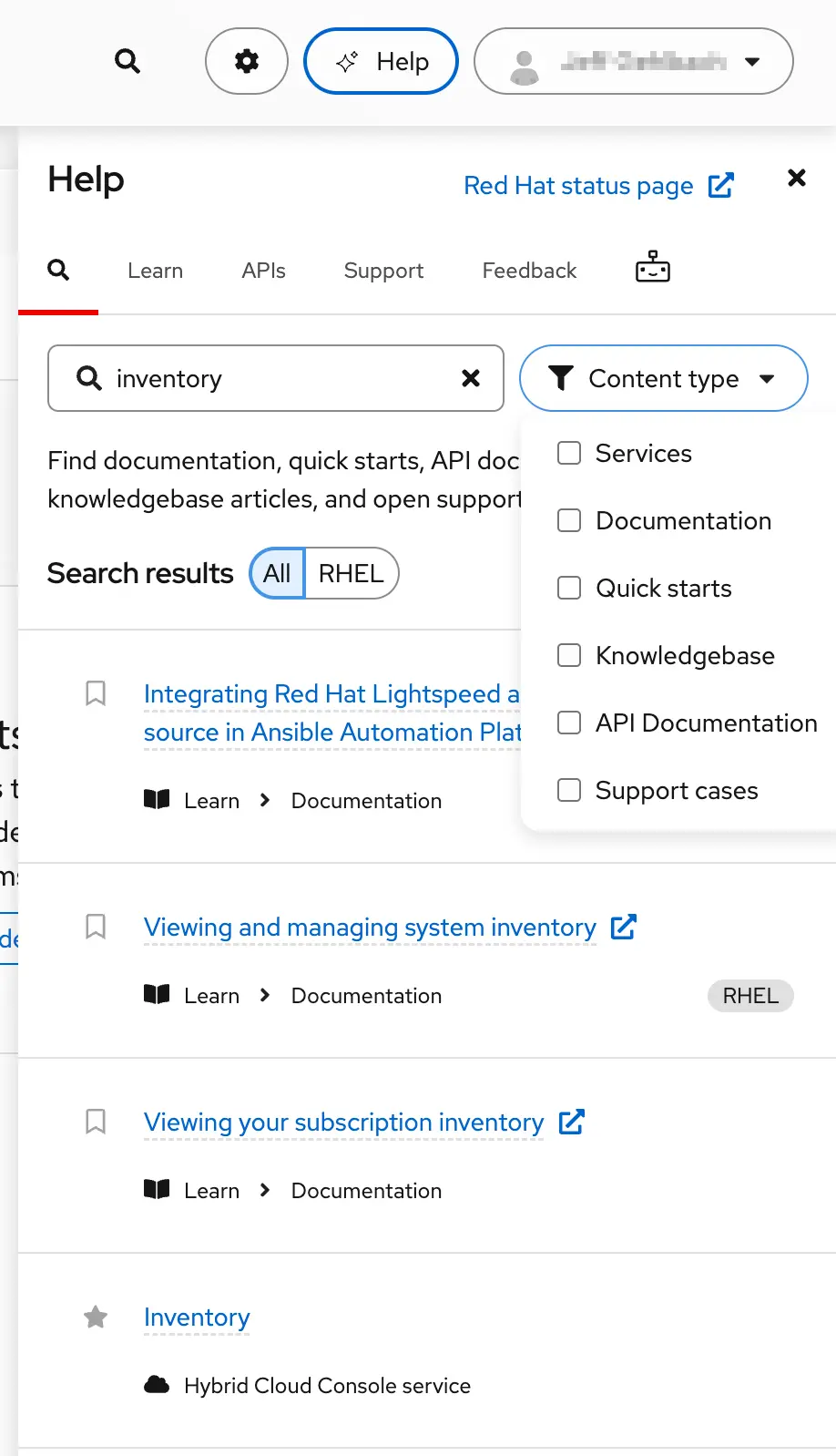
One of the most prominent friction points in enterprise management platforms is the need to navigate away from active tasks to find documentation, troubleshooting guides, or technical support. To address this, Red Hat has completely transformed its former help menu into a dynamic, retractable, and persistent help panel.
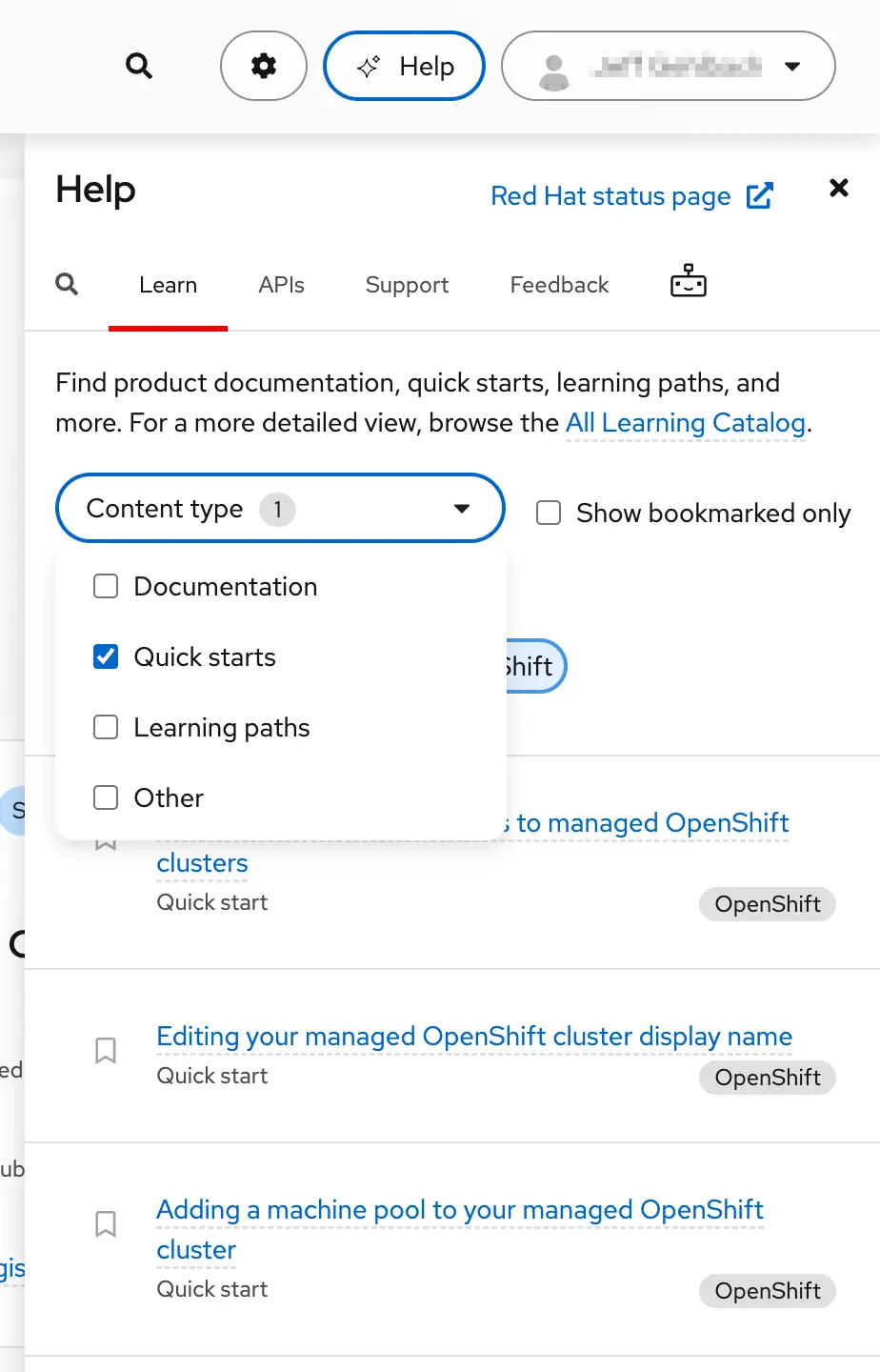
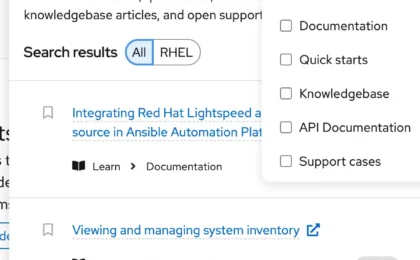
The new panel is engineered to keep all assistive resources from across the Hybrid Cloud Console within a single click, ensuring that users can find the information they need without abandoning their current workflow. The interface is organized into distinct, purpose-driven tabs. The Search tab allows administrators to quickly locate specific items by keyword, while the Learn tab categorizes resources by type and enables single-click bookmarking so favorite guides and documentation can be easily retrieved later.
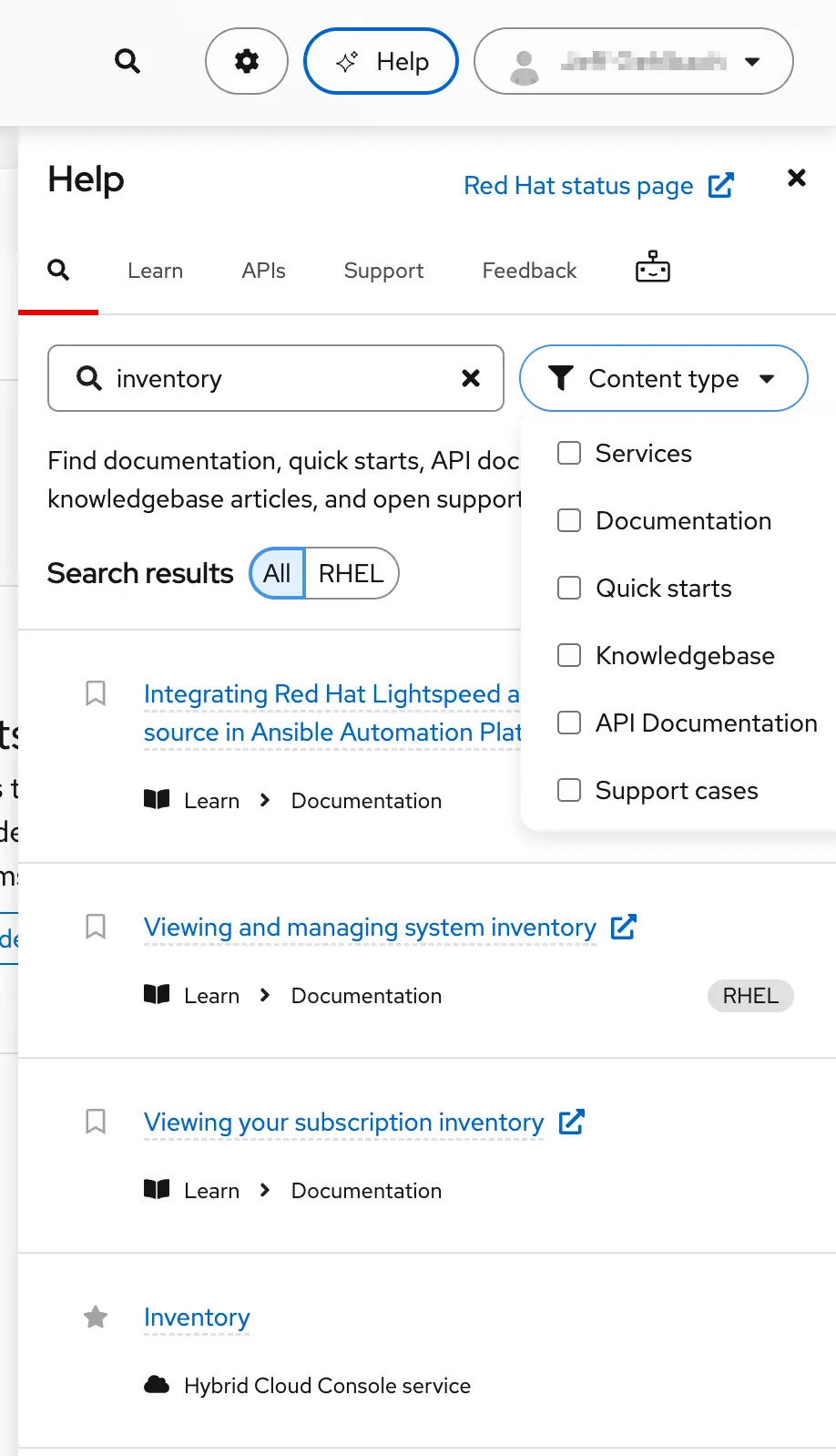
Furthermore, the integration of an AI Assistants tab connects users directly to agentic help experiences spanning the broader Red Hat portfolio. This foundational layout is rounded out by direct access to API information and active support cases, with development teams planning to introduce additional capabilities in future updates.
Crucially, the help panel is context-aware. As administrators move throughout the Hybrid Cloud Console—whether they are managing Red Hat Enterprise Linux systems, scaling Red Hat OpenShift clusters, or reviewing Red Hat Ansible recommendations—the panel automatically filters its contents to match the product or service currently in focus. If an engineer needs guidance while working deep within a dense list of Linux systems, there is no longer any need to manually search for learning resources or open a separate browser tab. Clicking the help button instantly surfaces relevant documentation pre-filtered for that exact moment, and the panel intelligently remembers its state even when hidden.
Theming controls shape Hybrid Cloud Console to your visual needs
Visual ergonomics and accessibility have also taken a major step forward with the introduction of comprehensive theming controls. Enterprise administrators often spend hours staring at management consoles, making visual comfort and customizability critical factors in daily productivity and user satisfaction.
For years, customers have consistently requested a dark color scheme for the Red Hat Hybrid Cloud Console. The newly deployed theming controls successfully deliver on that demand while expanding the visual framework to support a wider array of preferences and accessibility requirements. In addition to a straightforward toggle between dark and light color schemes, the platform now features a high-contrast mode and a glass-look mode.
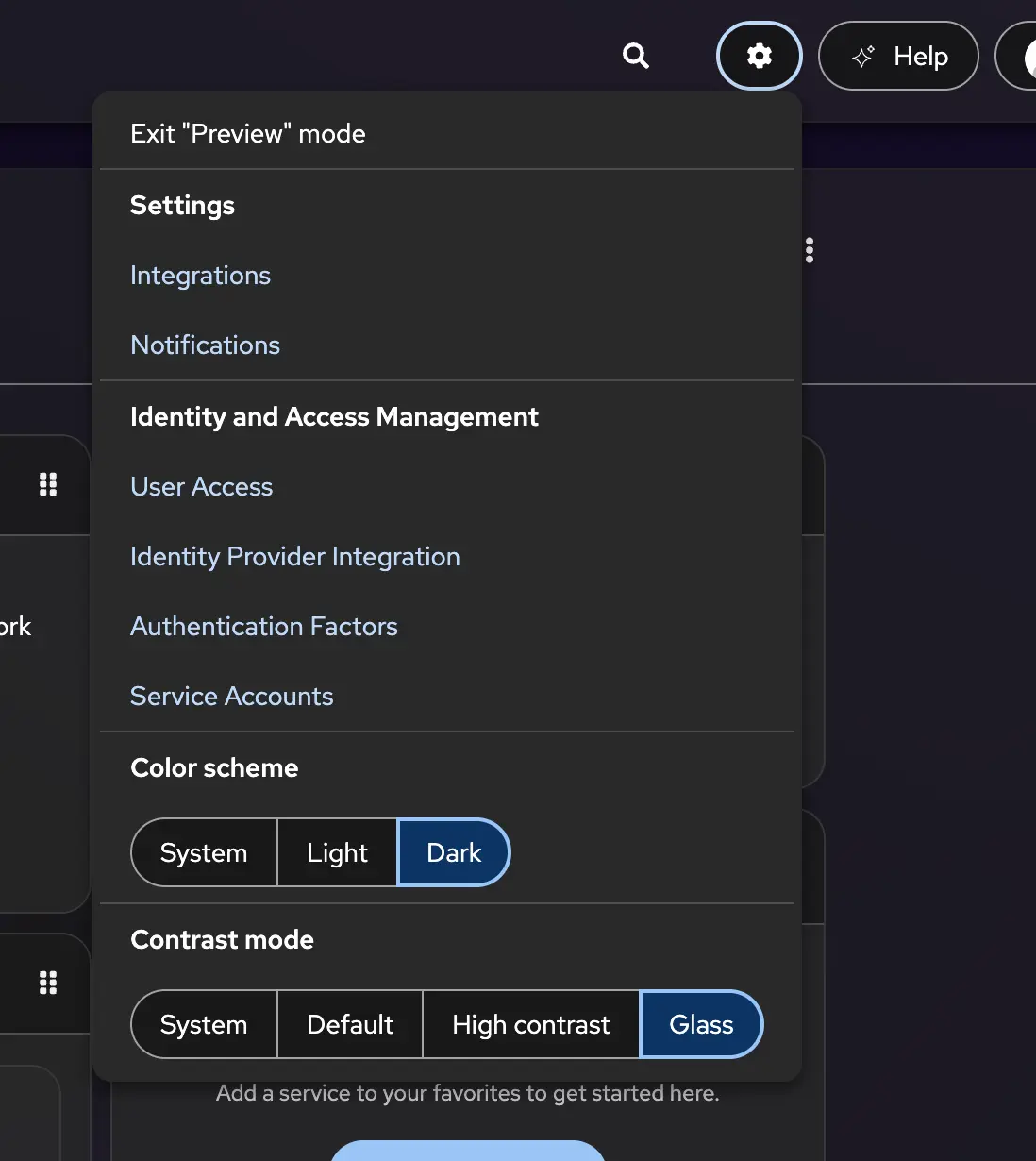
These options significantly enhance accessibility support for users with varying visual needs. By default, the user interface automatically reflects the existing system and browser theme settings, minimizing the need for manual configuration. Once a user makes a selection, their preferences are saved automatically and can be easily reviewed or adjusted at any time through the standard settings menu. This flexibility ensures that the Hybrid Cloud Console can adapt seamlessly to different working environments, whether an administrator is operating in a brightly lit office or managing infrastructure late at night.
Dashboard widgets help organize HCC around your workflows
In complex IT operations, different team members require vastly different views of their infrastructure depending on their specific roles and scenarios. To accommodate this, the Hybrid Cloud Console now supports the creation of multiple independent dashboards, allowing users to curate their homepage and navigate fluidly between tailored views.
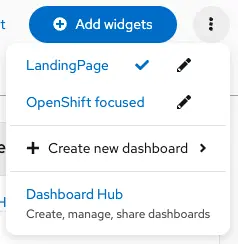
Through the dedicated Dashboard Hub, administrators can view all of their configured dashboards in one place, spin up new views from scratch, or share their layouts with colleagues. While sharing currently relies on copying and pasting configuration strings, Red Hat has plans to integrate the service directly with role-based access controls to streamline internal sharing directly within the console.
When building a new dashboard, users are given several paths to suit their operational needs. They can start with a blank slate, import a configuration string provided by a coworker, or duplicate an existing dashboard to build upon a proven layout. If an administrator’s primary responsibilities shift over time, they can easily promote any of their customized dashboards to serve as the centerpiece of their landing page, ensuring that the most critical operational metrics and widgets are always immediately visible upon signing in.










No comments yet. Be the first to join the conversation!